
Web2Cast1.2.0 - Google Play
You'll be able to see results in few seconds.
Publisher Description
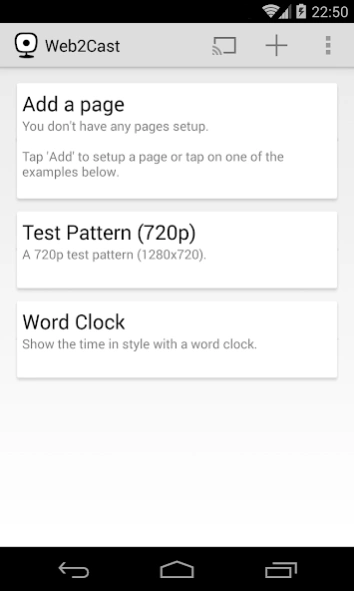

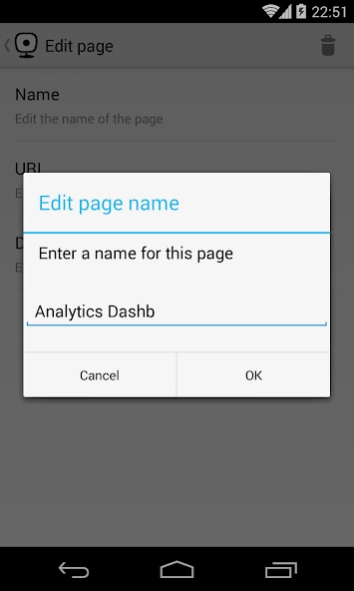
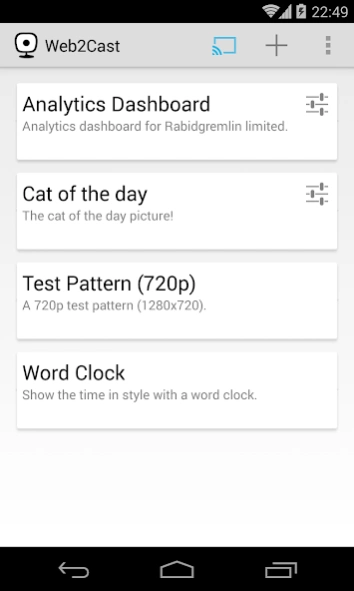
The web on the big screen. Send web pages and images to your ChromeCast!
The web on the big screen. Send web pages and images to your ChromeCast!
Simply type in a URL, give it a name and then tap to display it on your ChromeCast.
Great for digital signage, menus, presentations and dashboards.
PLEASE READ THE FAQ BELOW TO SEE IF THIS APP WILL WORK FOR YOU!
FAQ
1. What can be displayed?
Generally anything you can display in a browser including HTML files and images such as .gif, .jpg and .png. NOTE: Some web pages are too complex for the built in ChromeCast web browser to handle.
2. Does it support HTTP and HTTPS ?
Yes it does.
3. Can it display items from a local, non-Internet server?
Yes it can. As long as the ChromeCast is on the same network as the server.
4. How can I display a file if I don't have a web server?
You can use Dropbox or Google Drive to host your files and add your share links to Web2Cast
5. Doesn't casting a tab in Chrome do the same thing as this app?
Sort of. However the Web2Cast display will be much crisper as it is not "streaming" a tab but actually displaying the web page in the ChromeCast browser. Additionally you can leave the display running without having to have Chrome running and casting.
6. Can I navigate a web page that is displayed by Web2Cast?
The app provides the ability to scroll the page up and down. Unfortunately the ChromeCast browser has its input disabled so links cannot be clicked on, there is no cursor and text cannot be entered.
7. Only my page background is displayed. What's wrong?
Some pages automatically center their content vertically, if this is the case your page's content may not be immediately visible on screen. Try press the "Center" button on the Remote screen to display your content.
About Web2Cast
The company that develops Web2Cast is Rabidgremlin Limited. The latest version released by its developer is 1.2.0.
To install Web2Cast on your Android device, just click the green Continue To App button above to start the installation process. The app is listed on our website since 2017-06-25 and was downloaded 0 times. We have already checked if the download link is safe, however for your own protection we recommend that you scan the downloaded app with your antivirus. Your antivirus may detect the Web2Cast as malware as malware if the download link to com.rabidgremlin.web2cast is broken.
How to install Web2Cast on your Android device:
- Click on the Continue To App button on our website. This will redirect you to Google Play.
- Once the Web2Cast is shown in the Google Play listing of your Android device, you can start its download and installation. Tap on the Install button located below the search bar and to the right of the app icon.
- A pop-up window with the permissions required by Web2Cast will be shown. Click on Accept to continue the process.
- Web2Cast will be downloaded onto your device, displaying a progress. Once the download completes, the installation will start and you'll get a notification after the installation is finished.
Program Details
System requirements
Download information
Pricing
Version History
version 1.2.0
posted on 2017-06-25
Fixed for crash
version 1.1.0
posted on 2014-03-20
- App now stops casting on disconnect. This can be toggled in settings.,- App now provides a "remote control" to scroll web pages
Disclaimer
Official Google Play Link
We do not host Web2Cast on our servers. We did not scan it for viruses, adware, spyware or other type of malware. This app is hosted by Google and passed their terms and conditions to be listed there. We recommend caution when installing it.
The Google Play link for Web2Cast is provided to you by apps112.com without any warranties, representations or guarantees of any kind, so access it at your own risk.
If you have questions regarding this particular app contact the publisher directly. For questions about the functionalities of apps112.com contact us.
